SSH Banner
The SSH Banner displays a pre-defined text message each time the user connects to the OVOC server using an SSH connection. You can customize this message. By default this option is disabled.
| ➢ | To configure the SSH banner: |
| 1. | From the SSH menu, choose option 2, and then press Enter. |
SSH Banner Manager
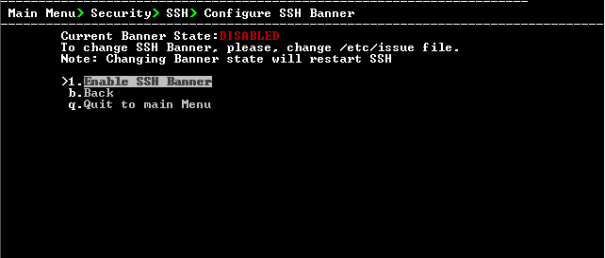
| 2. | Edit a '/etc/issue' file with the desired text. |
| 3. | Choose option 1 to enable or disable the SSH banner, and then press Enter. |
Whenever you change the banner state, SSH is restarted. The 'Current Banner State' is displayed in the screen.